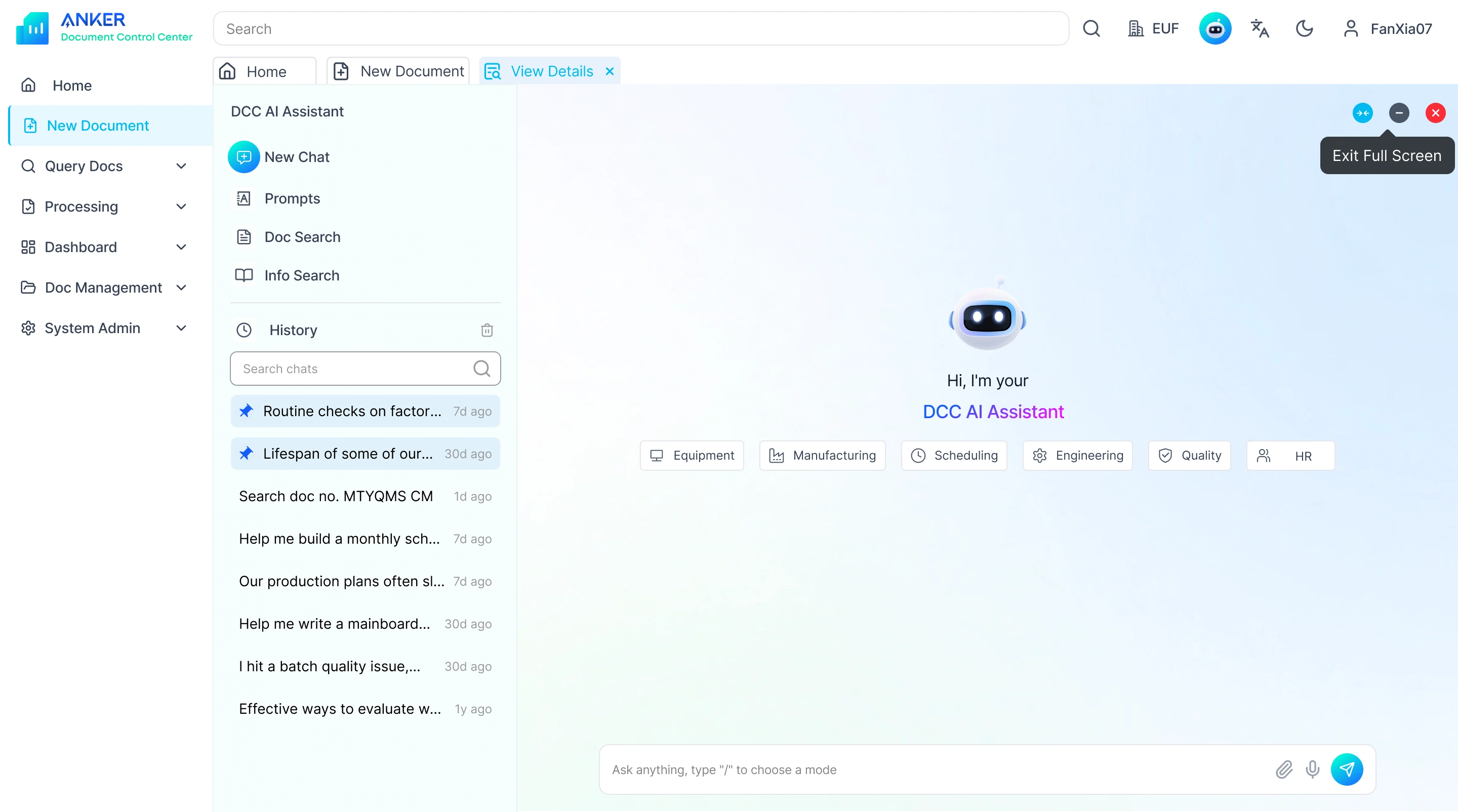
DCC AI Assistant
Document Management System · 0–1 AI Assistant for a B2B Platform
-What I Did-
Designed an AI assistant for Anker's document management system, helping manufacturing and quality teams find documents, track versions and follow approvals faster.
-Project Goal-
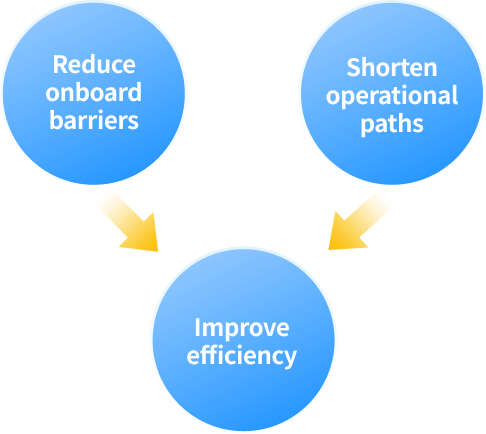
Help users of every level find, follow and understand documents faster.
-Scope-
AI ASSISTANT
B2B PLATFORM
INTERACTION DESIGN
DARK MODE

01
Goal
Help different users complete tasks more efficiently
Document Retrieval, Workflow Collaboration, and Information Understanding
02
User Profiles
Easy
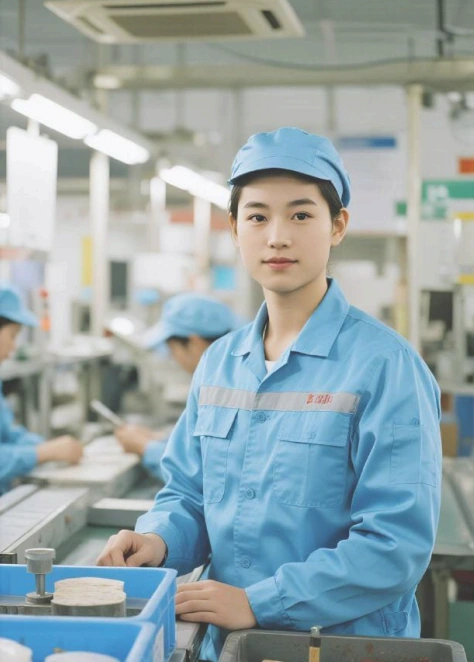
Beginner
50 %
Assembly Line Operator,
1 year of experience
Ann
New to the line. Follows SOPs.

Intermediate
30 %
Quality Inspector,
3 years of experience
Ben
Compares inspection standards and follows up on approvals.
Normal

Expert
20 %
Engineer / Administrator, 6 years of experience
Jack
Power user handling permissions, bulk import, rollback and audits.
Deep
Beginner
Get lost at entry points.
AI role: onboarding guide.
Intermediate
Overloaded by search results.
AI role: status reporter.
Expert
Bulk operations are complex.
AI role: automation executor.
03
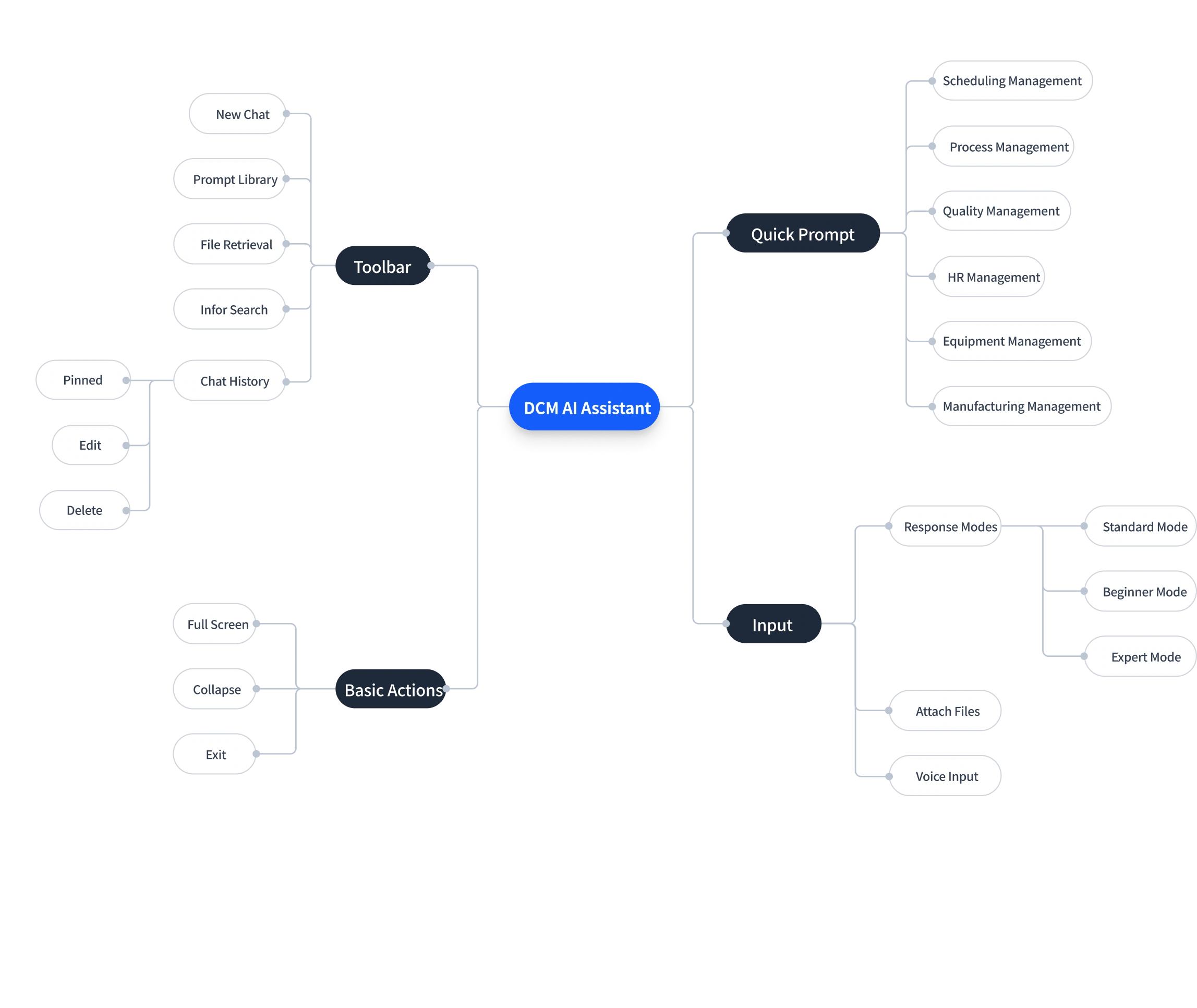
Information Architecture
04
Layout Exploration
Where should the assistant live?
Final choice: an overlay that keeps the system layout intact.
Overlay on Top of the System | Fixed Right Panel
Entry may be overlooked
Cons
Easy to miss among top-right icons.
Less flexible
Cannot be dragged freely.
Preserves the layout
Pros
Sits above the system without changing it.
Minimal disruption
Stays out of the main workspace.
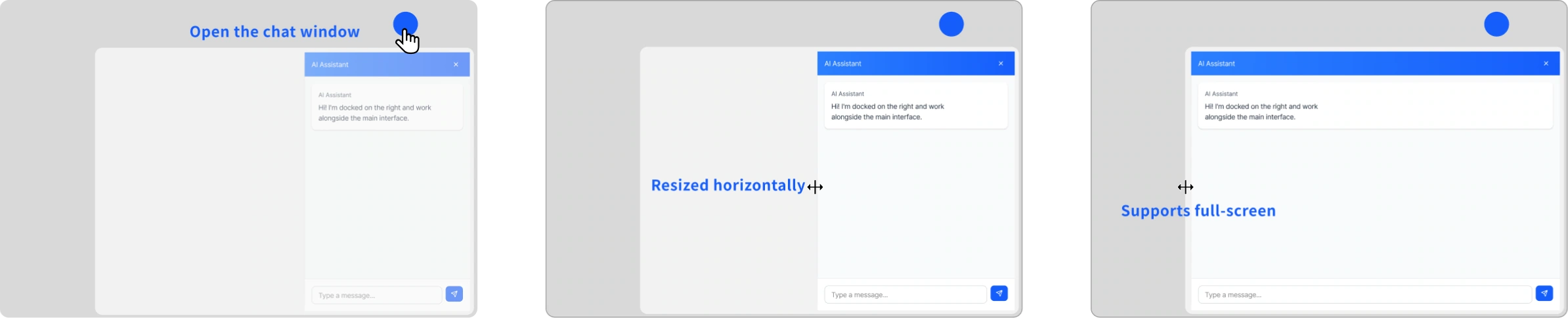
All three layout options
Floating window, fixed right panel and overlay, with pros and cons
Hide details

All three layout options
Floating window, fixed right panel and overlay, with pros and cons
Hide details
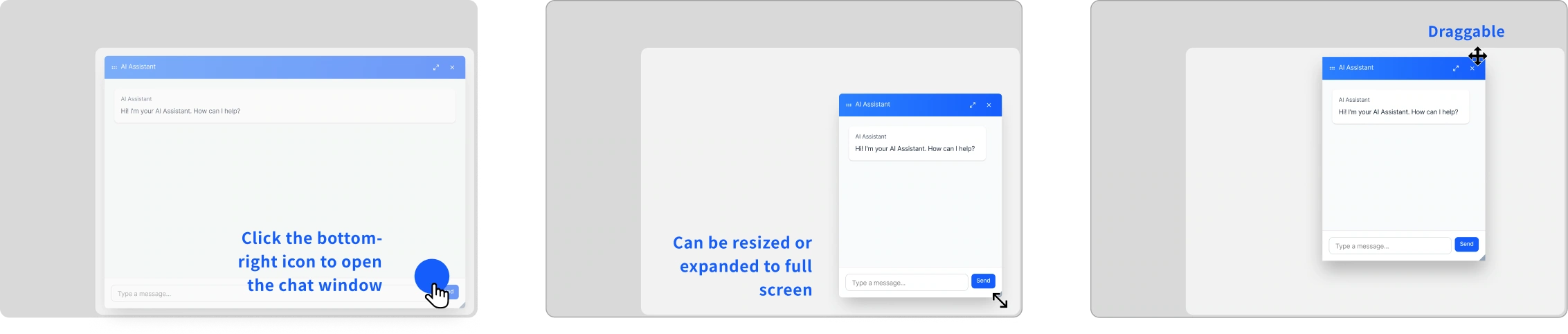
Overlay on Top of the System | Flexible Floating Window
Draggable and resizable
Pros
Adjustable position and size.
Familiar pattern
Opens as a pop-up, as users expect.
May obscure content
Cons
Can block the page underneath.
Weak integration
Feels disconnected from the system.
Embedded in the System | Fixed Right Panel
Highly integrated
Pros
Part of the UI, covers no core content.
Tighter interaction
Stronger AI-assisted experience.
Consumes space
Cons
May squeeze existing components.
Not ideal for small screens
Limited space on laptops.
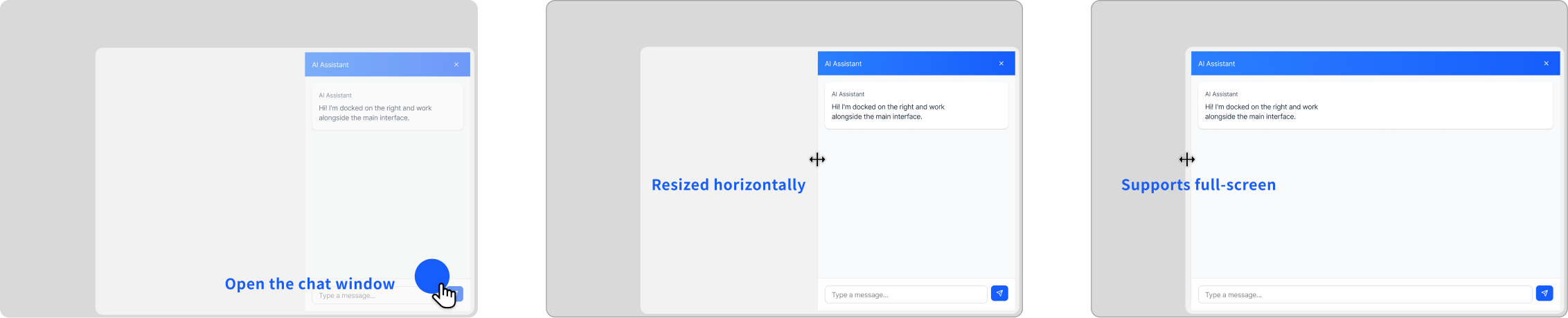
Inside the panel
Merged the side panel into the top bar and dropped avatars to give the chat more room.
Integrating the Side Function Panel with the Top Navigation Bar
Improvements
Less clutter and more room for the conversation.
Cons
Weaker sense of user identity.

Panel explorations
Side panel variants, avatar removal and resizable widths
Hide details

Panel explorations
Side panel variants, avatar removal and resizable widths
Hide details
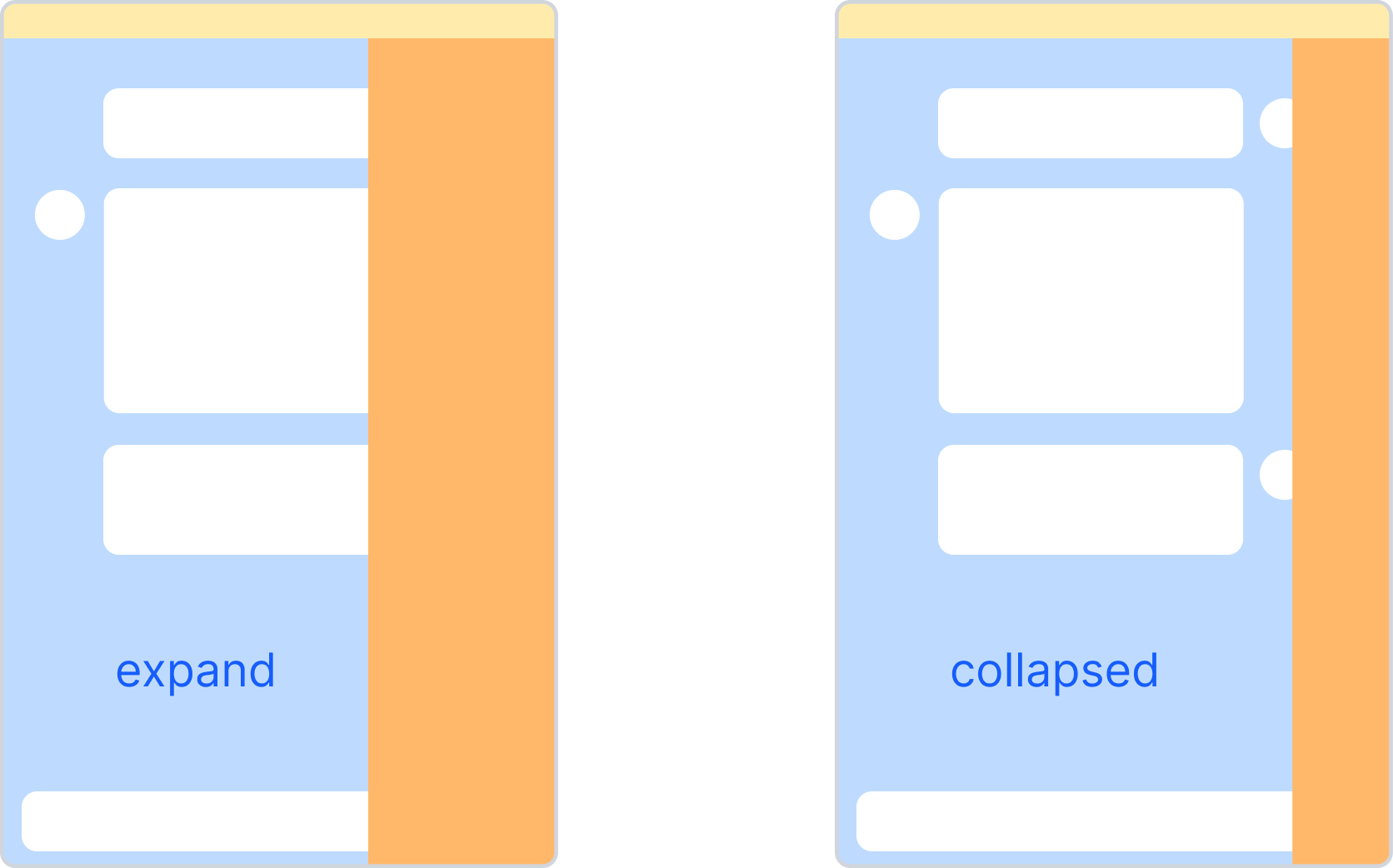
Side Function Panel (Standard)
Pros
Full feature visibility and flexible control.
Cons
Squeezes the chat area when expanded.
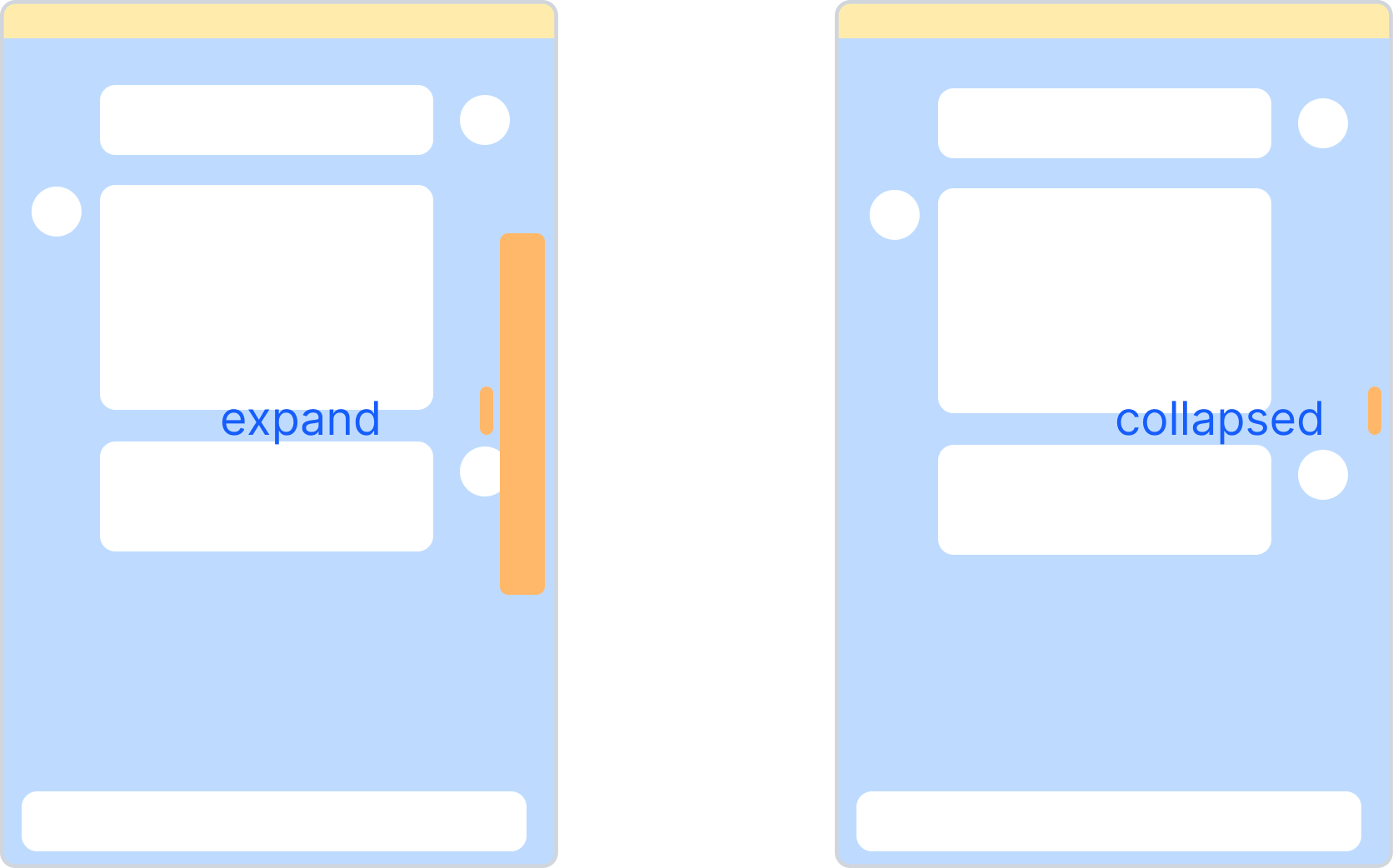
Side Function Panel (Lightweight)
Improvements
Smaller icons and a lighter hierarchy.
Cons
Icons may get too small and still take horizontal space.
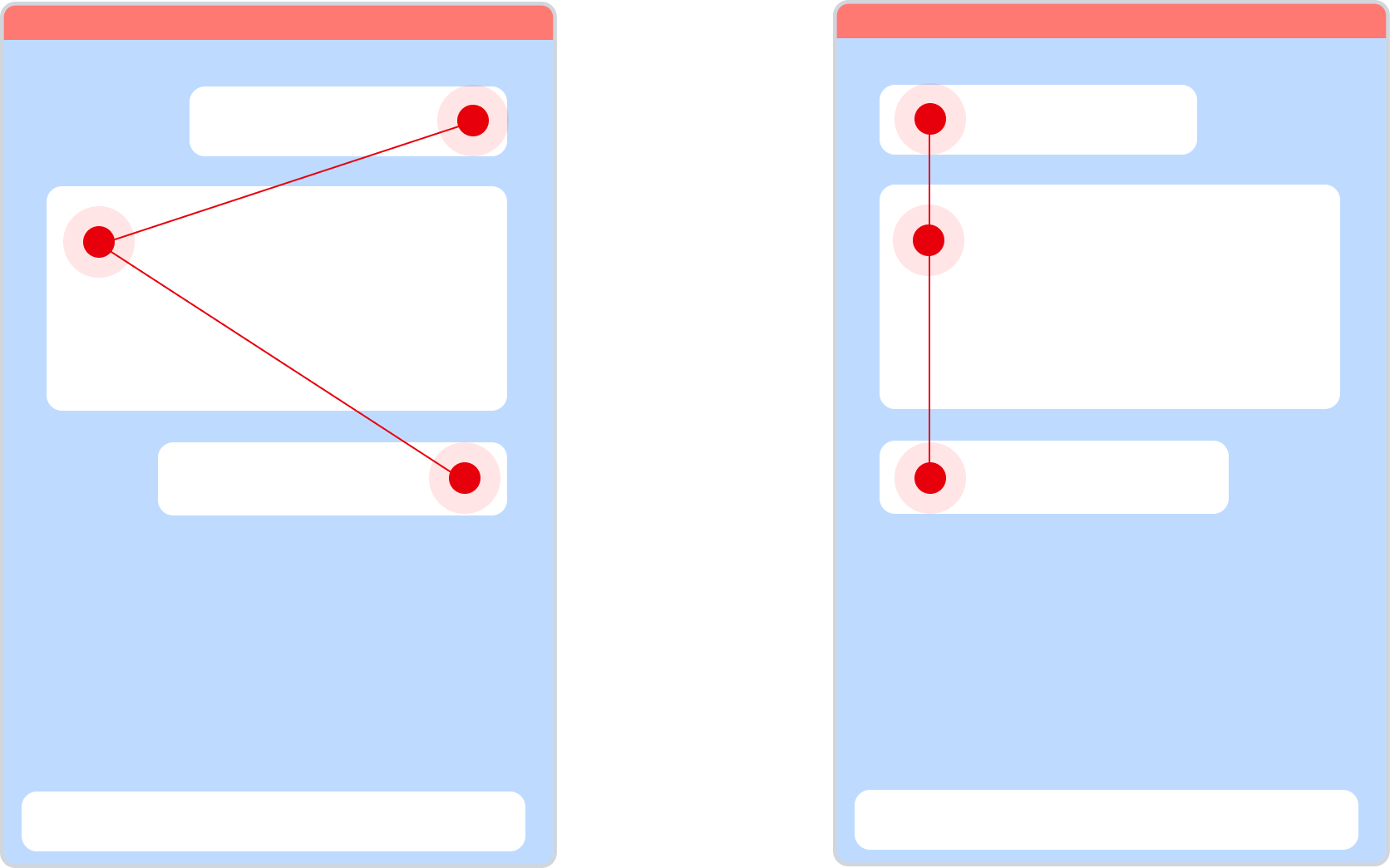
Improvements
Cleaner interface, focused on the prompt.
Cons
The two speakers are harder to tell apart.
Avatar Removal (Opposite-Side vs. Same-Side)
Resizable Widths
Min
Minimum resizable width
Max
Max resizable width
Fullscreen
Make full use of the extra horizontal space

05
Interface Presentation
Adaptive Layouts and Multimodal Input
Multimodal Input
Text input states, voice input and attachment upload.
Hide details

Multimodal Input
Text input states, voice input and attachment upload.
Hide details
Text Input
Grows with the text, up to 6 visible lines.


Max W:768 px
Supports up to 6 visible lines Find the latest SOP for battery cell inspection on Line 3, compare it with the previous version, and list what changed in the torque and sampling requirements so I can update the checklist before tomorrow's shift. Also flag any approval that is still pending.


Supports up to 6 visible lines Find the latest SOP for battery cell inspection on Line 3, compare it with the previous version, and list what changed in the torque and sampling requirements so I can update the checklist before tomorrow's shift. Also flag any approval that is still pending.


Max H:193 px

Min W:358 px
Ask anything, type "/" to choose a mode

Typing...
Supports up to 6 visible lines Find the latest SOP for battery cell inspection on Line 3, compare it with the previous version, and list what changed in the torque and sampling requirements so I can up...

Send
Typing...

Stop
Voice Input
Real-time transcription: ask in a single action.
Ask anything, type "/" to choose a mode


Voice input
Find the latest SOP


Stop input


Attachment Upload
Upload a document and the AI parses it to answer.
Ask anything, type "/" to choose a mode


Ask anything, type "/" to choose a mode

Quality_Management.pptx

Ask anything, type "/" to choose a mode
Quality_Management.pptx

Attach file

Prompt Design to Lower the Barrier to Asking Questions
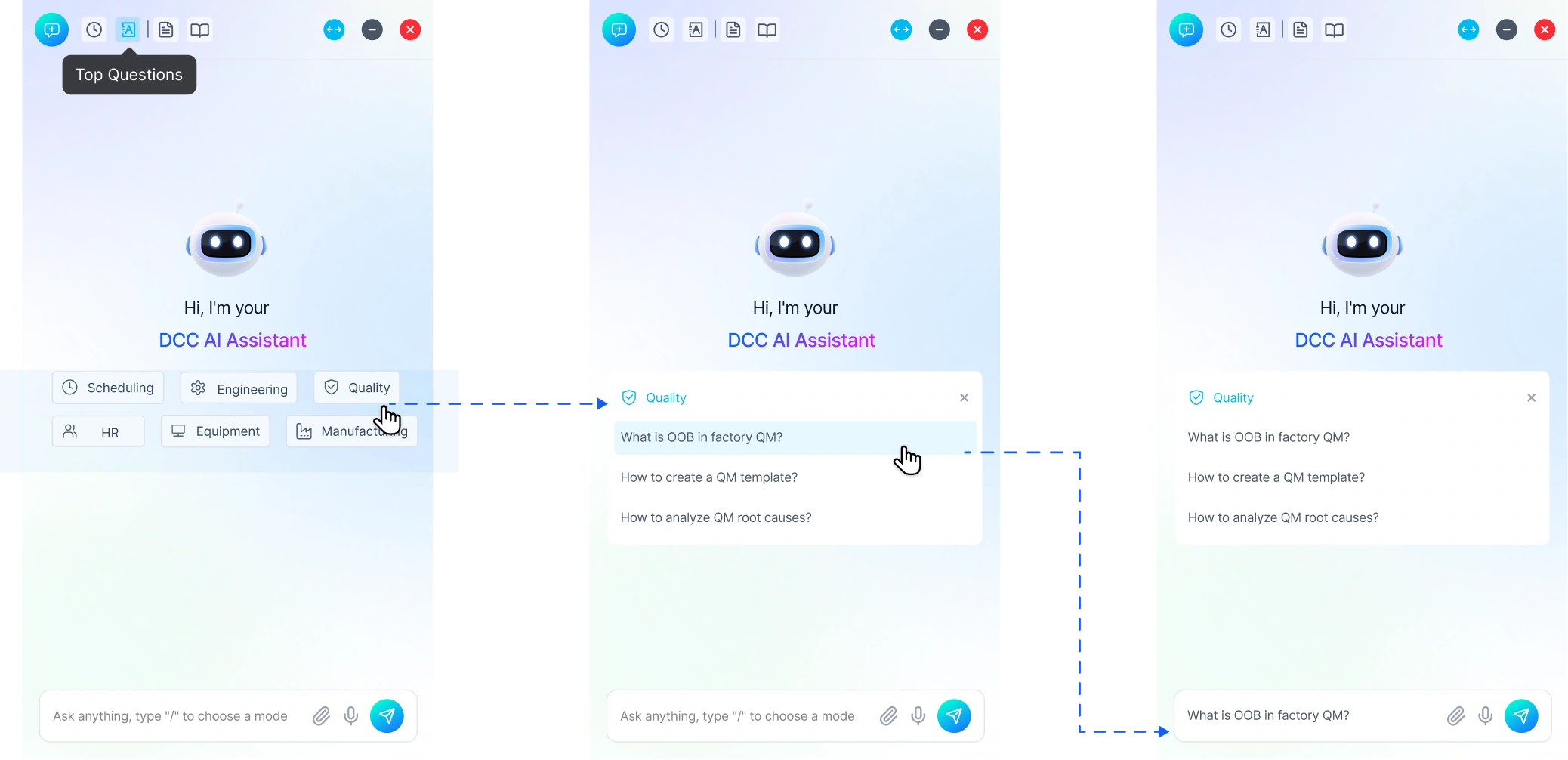
Quick Question Buttons
Quick prompts for frequent tasks lower the barrier and guide the conversation.
Build high-frequency business modules

1
Pin the most frequently asked questions
2
Guide users to initiate higher-quality queries
3
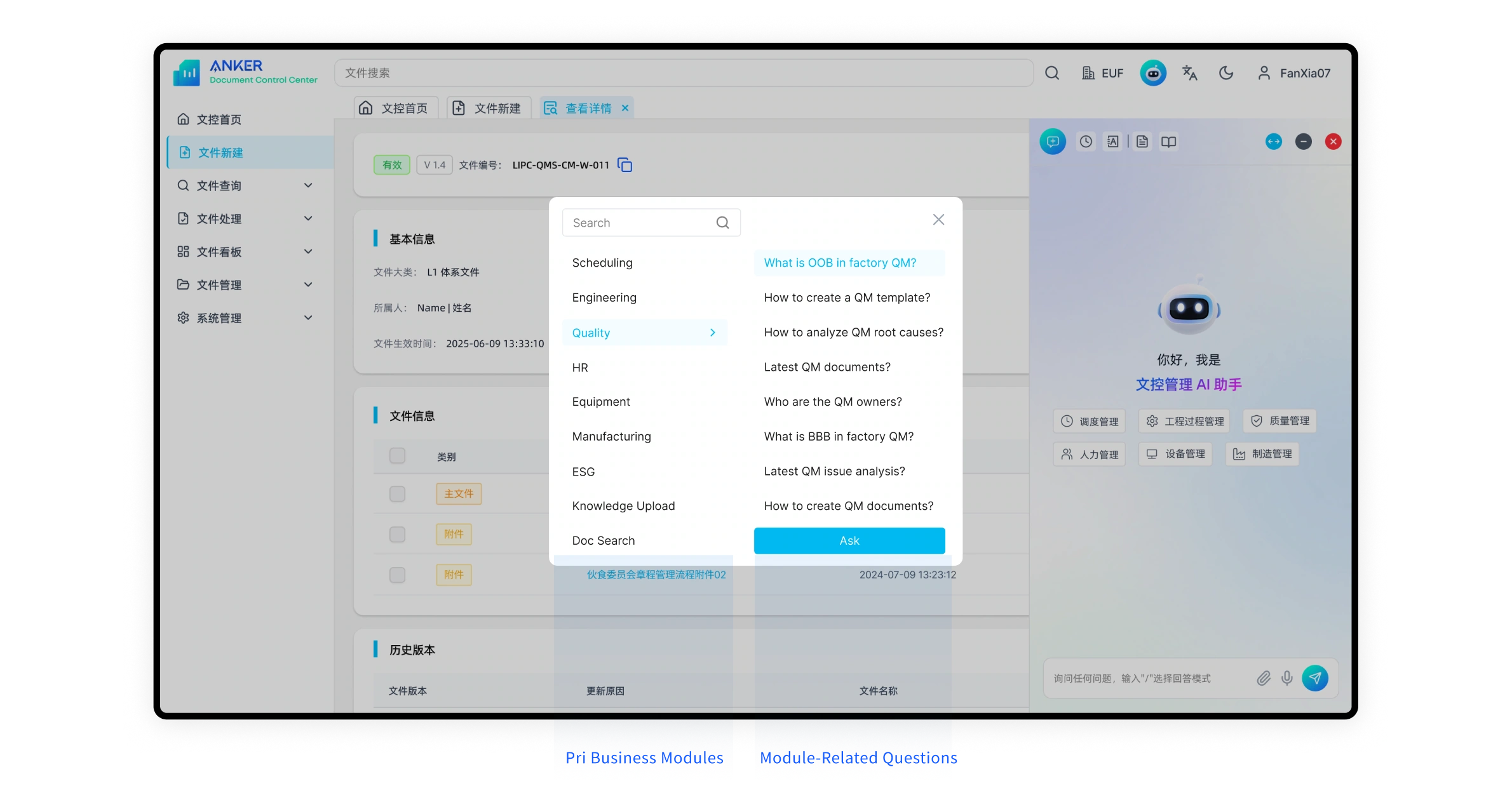
Quick Questions
A prompt library grouped by business module, for less frequent, more complex tasks. Ready to extend with favorites and custom prompts.
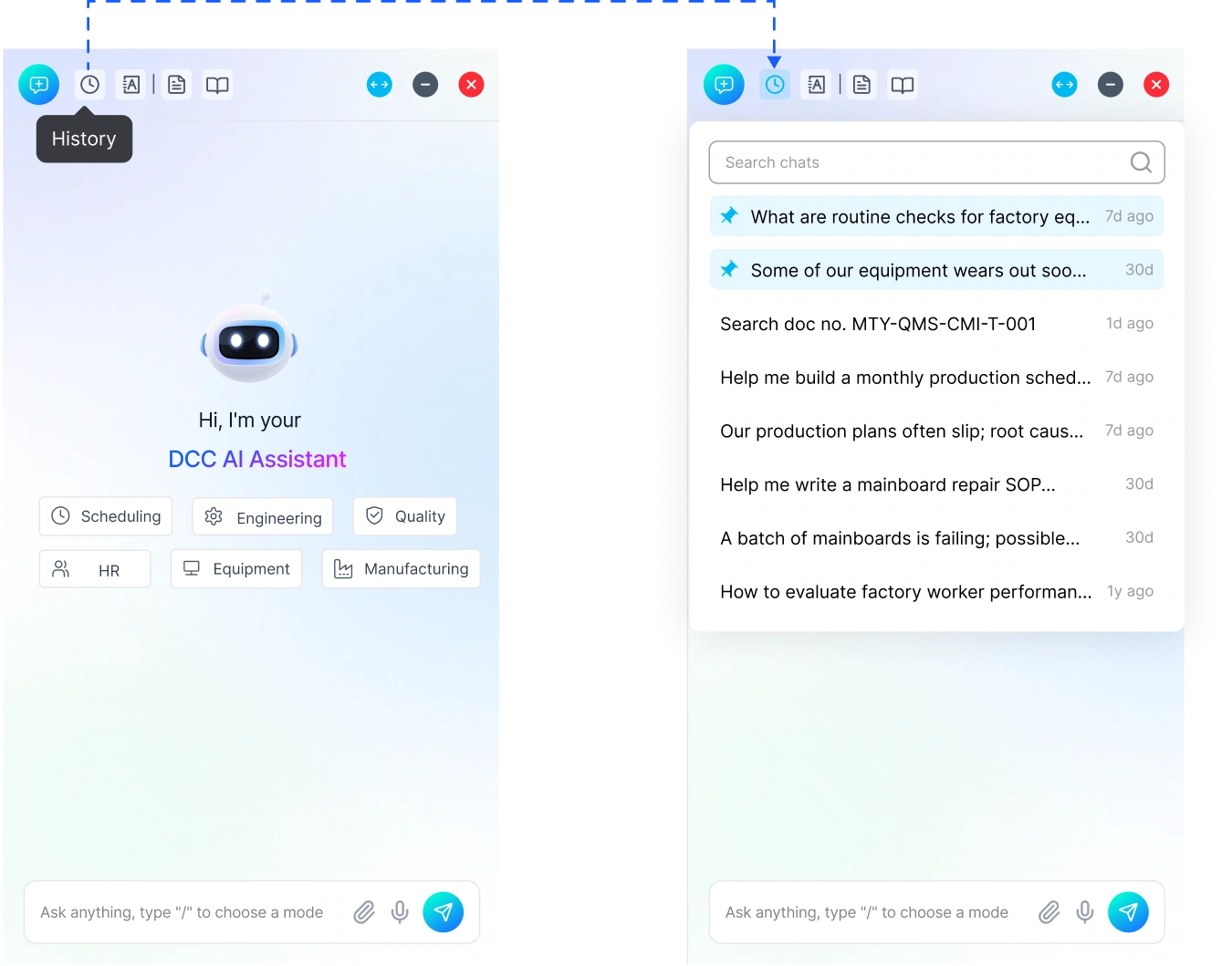
Chat History for Personalization and Memory Building
Non-Modal Popup for Better Continuity
Lighter than the prompt library, so it opens as a non-modal popup.
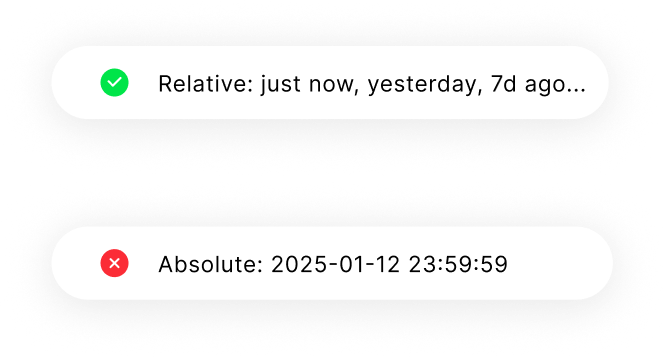
Relative Time
"2 days ago" is quicker to read than a timestamp.
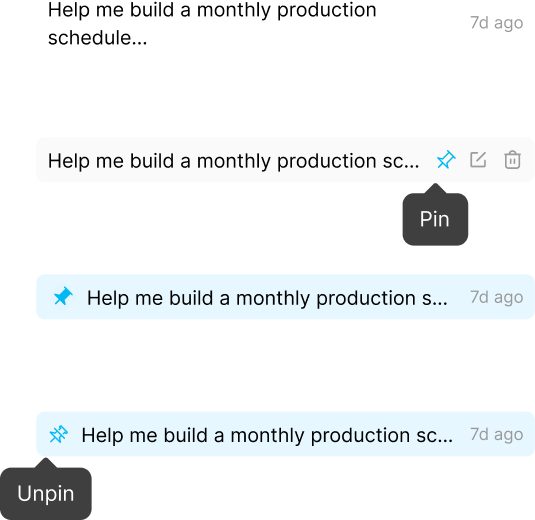
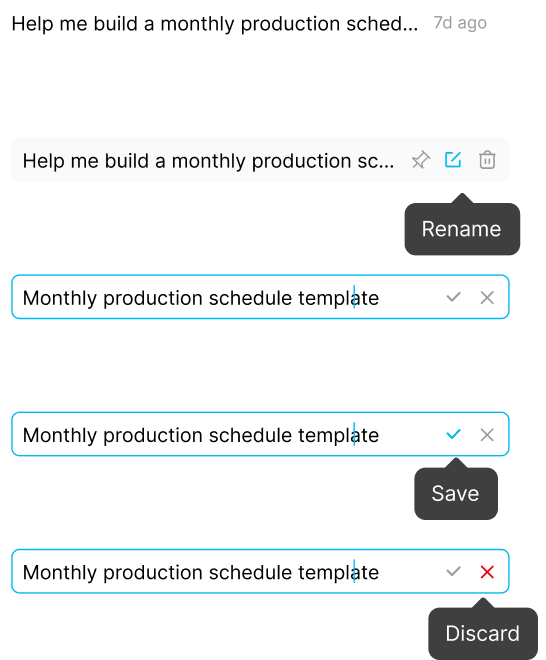
Pinned & Renamed Conversations
Pin important chats and name them by meaning, not system titles.
Hide details

Pinned & Renamed Conversations
Pin important chats and name them by meaning, not system titles.
Hide details
Pinned Conversations
Keeps important conversations one click away.
Rename Conversations
Name conversations by meaning, not system titles.
Credible AI Responses Through Source Citation and Output Standards
Structured Markdown Output
Headings and bullets make key points easy to scan.
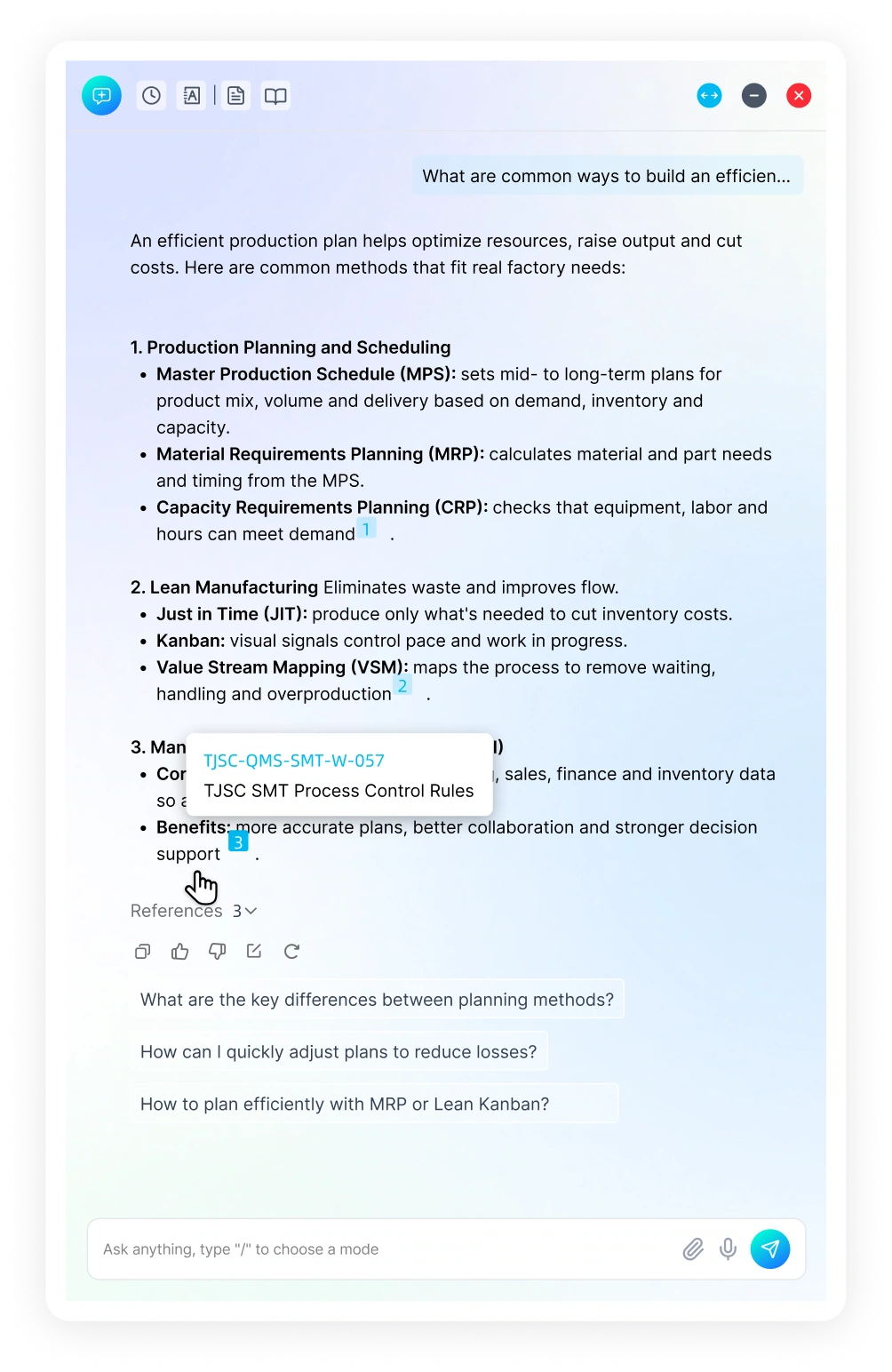
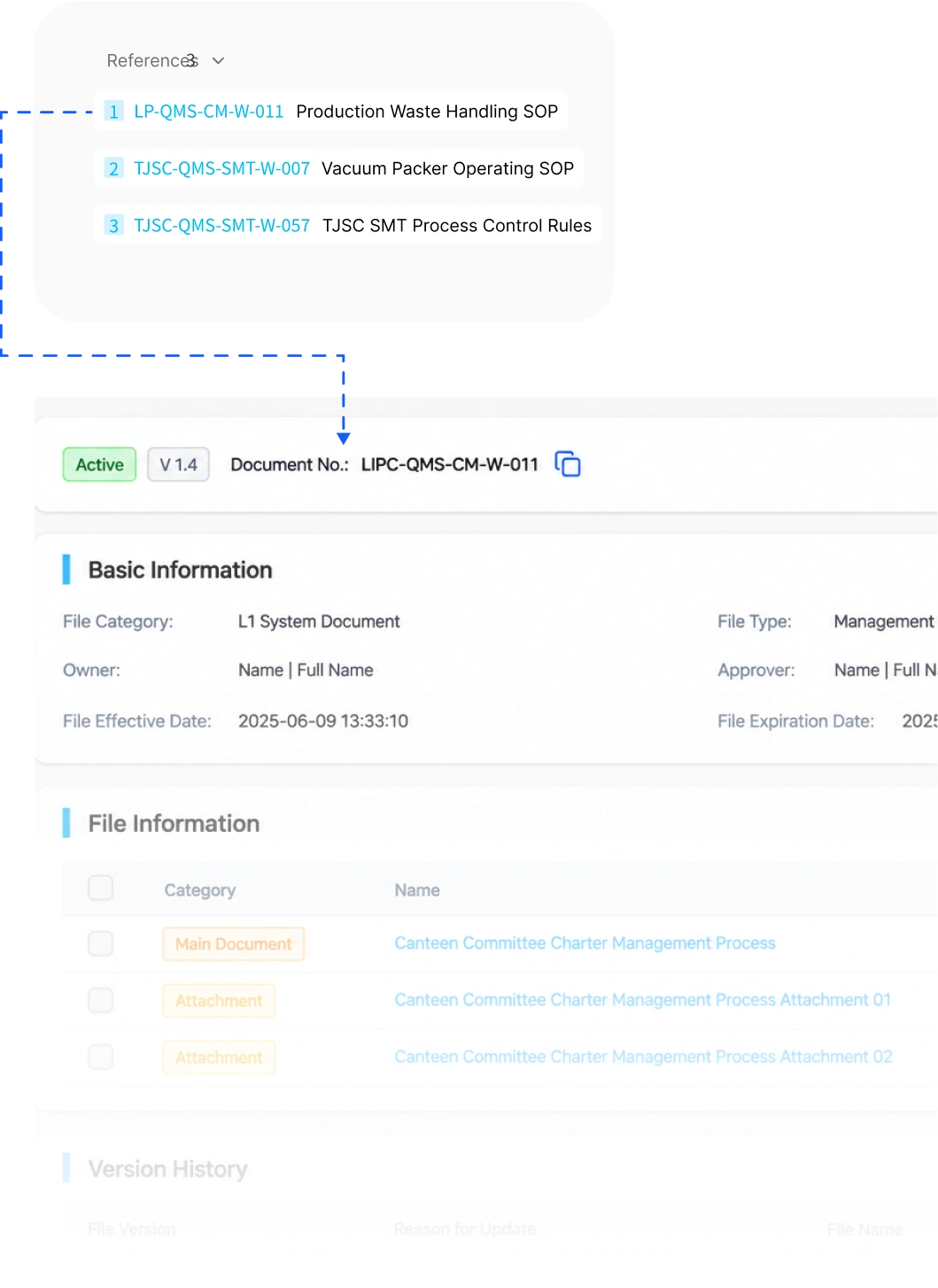
Citing System Documents
Answers cite internal documents, so users can verify them.
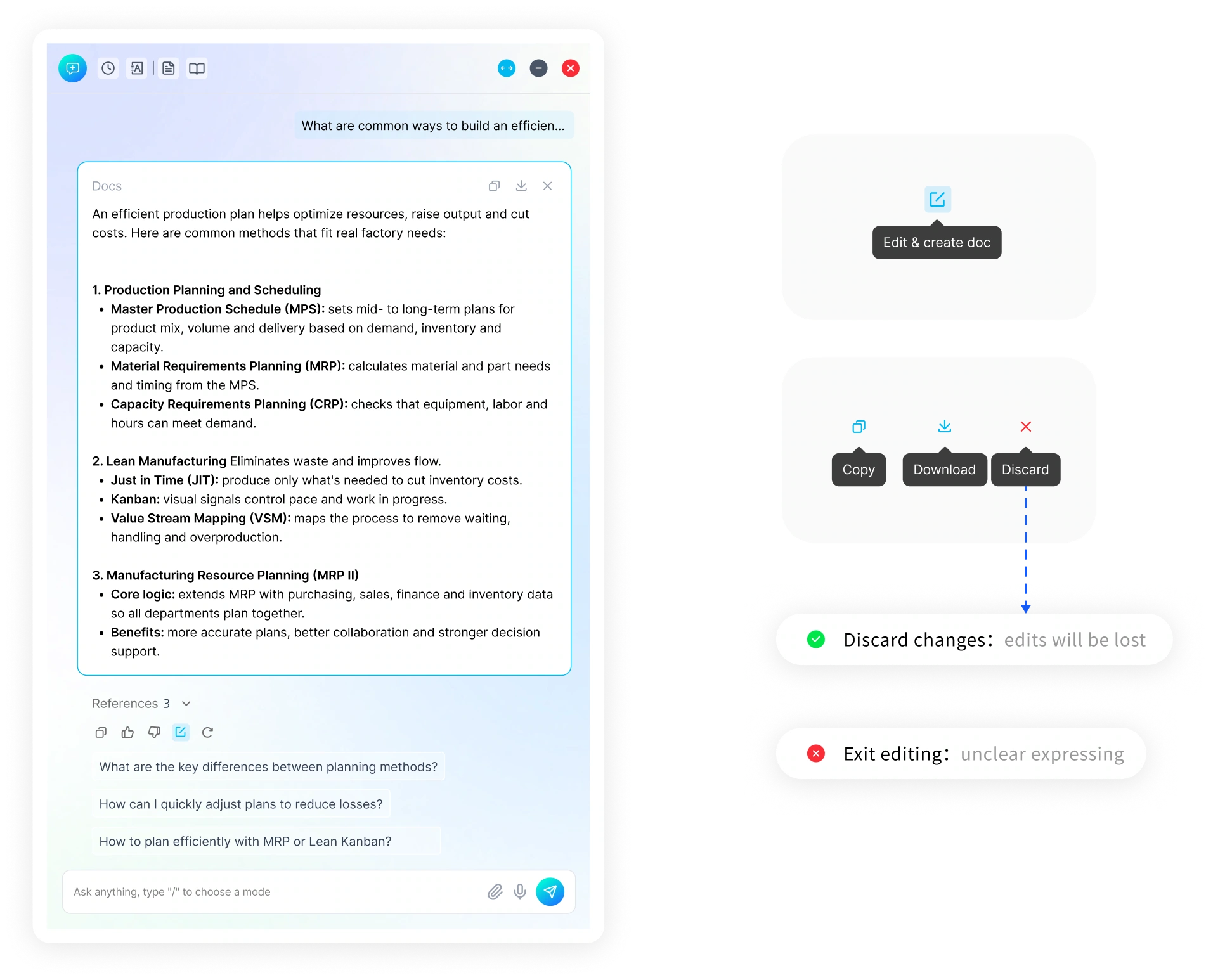
Editable and Exportable Output
Copy, edit and export AI output as a document in one click.
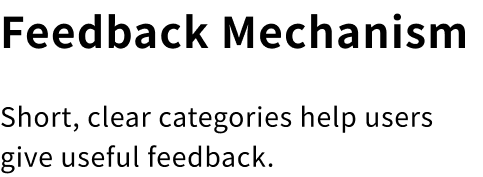
Feedback design
Emotional feedback and the feedback mechanism
Hide details

Feedback design
Emotional feedback and the feedback mechanism
Hide details
Emotional Design
Feedback appears right above the icon that triggered it.


Copy
Helpful
Copied
Thanks!

Not helpful

Submitted
Help us improve:

Incorrect
Incomplete
Too brief
Too complex
Other
Submit
Help us improve:
Incorrect
Incorrect
Too brief
Too complex
Other
Anything else? (optional)...
Submit
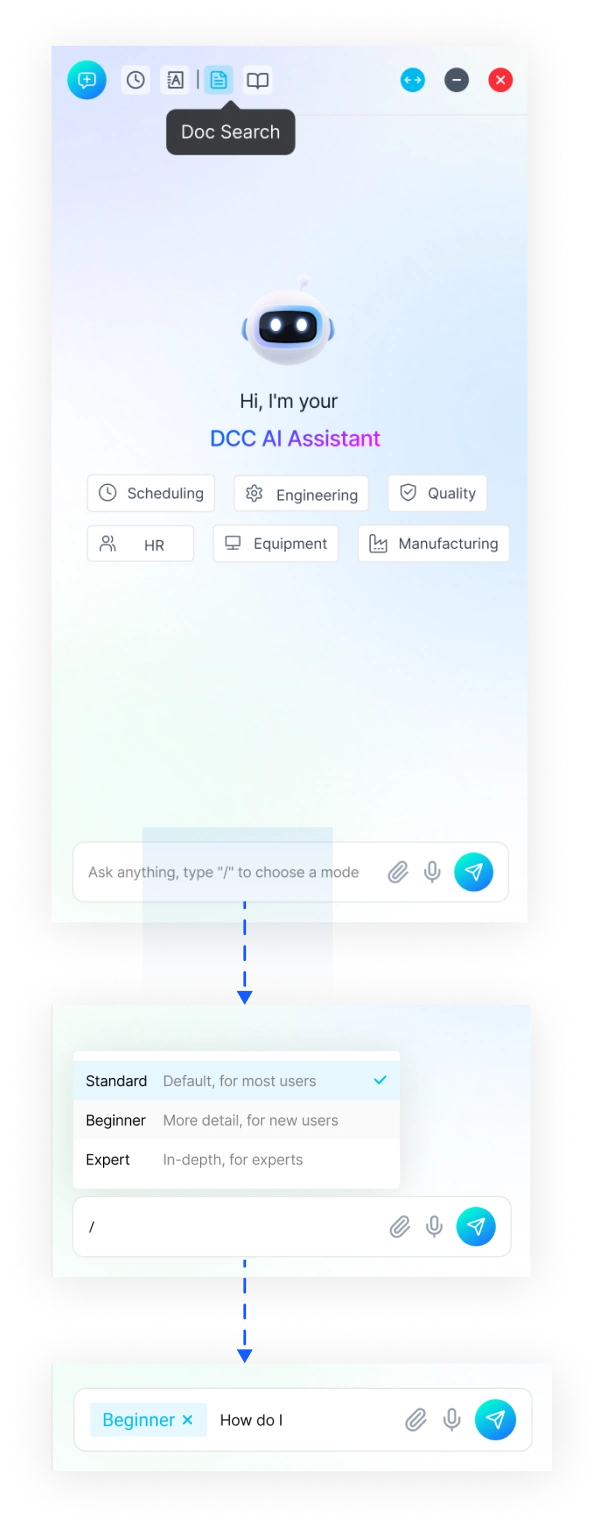
Three Response Modes for a More Personalized Experience

Triggered from the Chat Input
Pick a mode before sending the question.
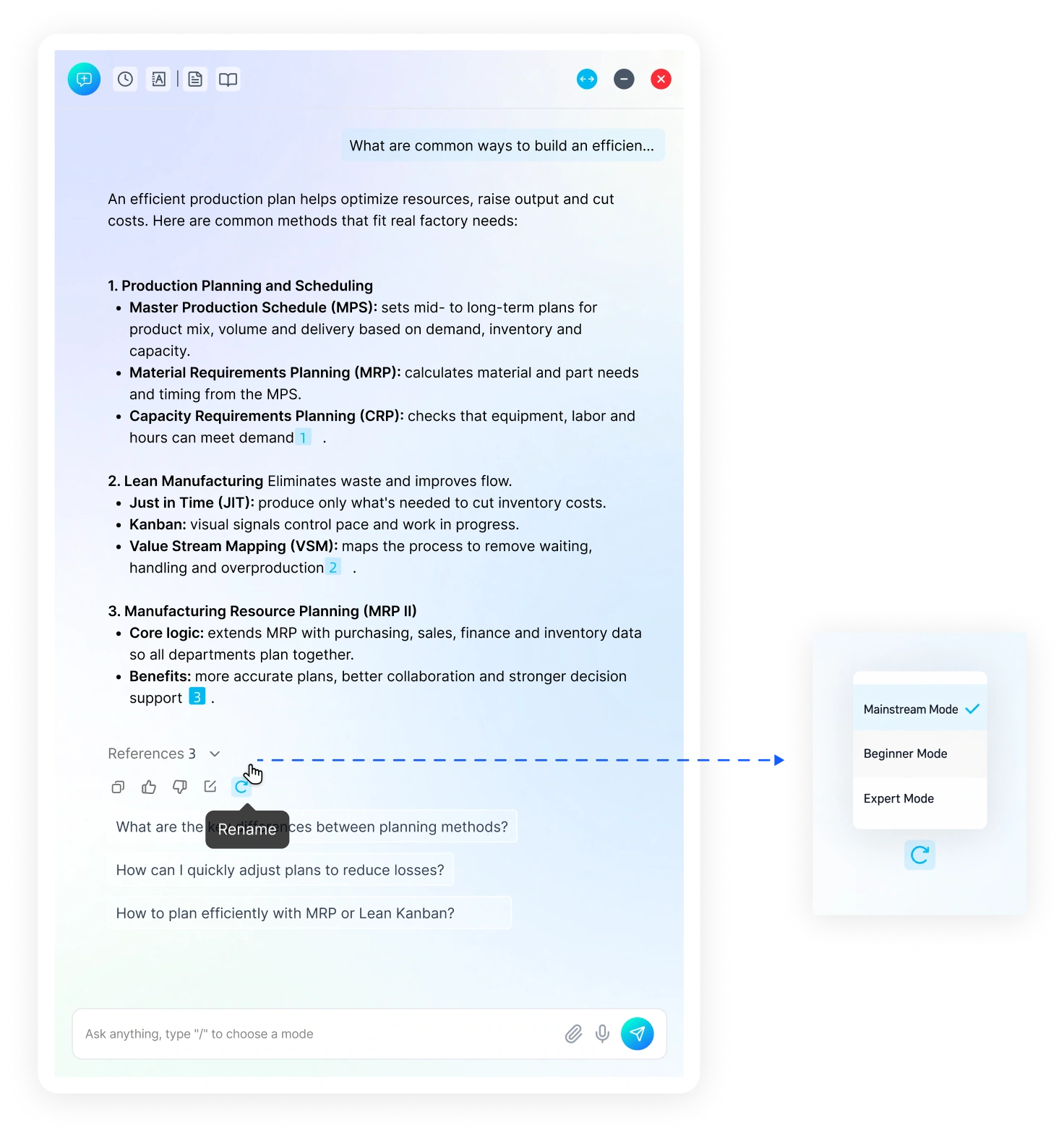
Editable and Exportable Output
Copy, edit and export AI output in one click.
Creating High-Frequency Entry Points to Elevate the AI Experience
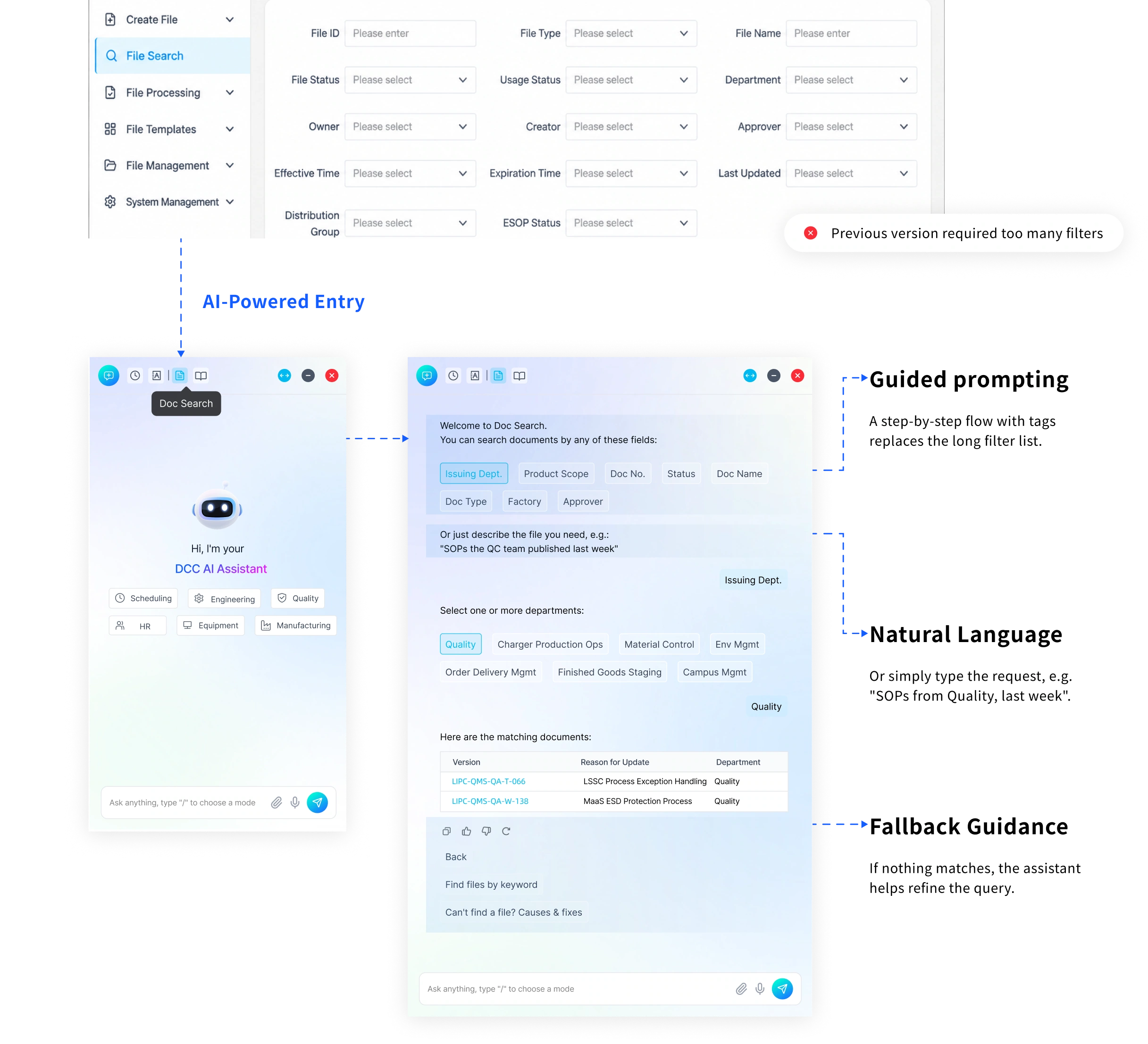
Document Search
Understands natural language, recommends by context and summarizes documents.
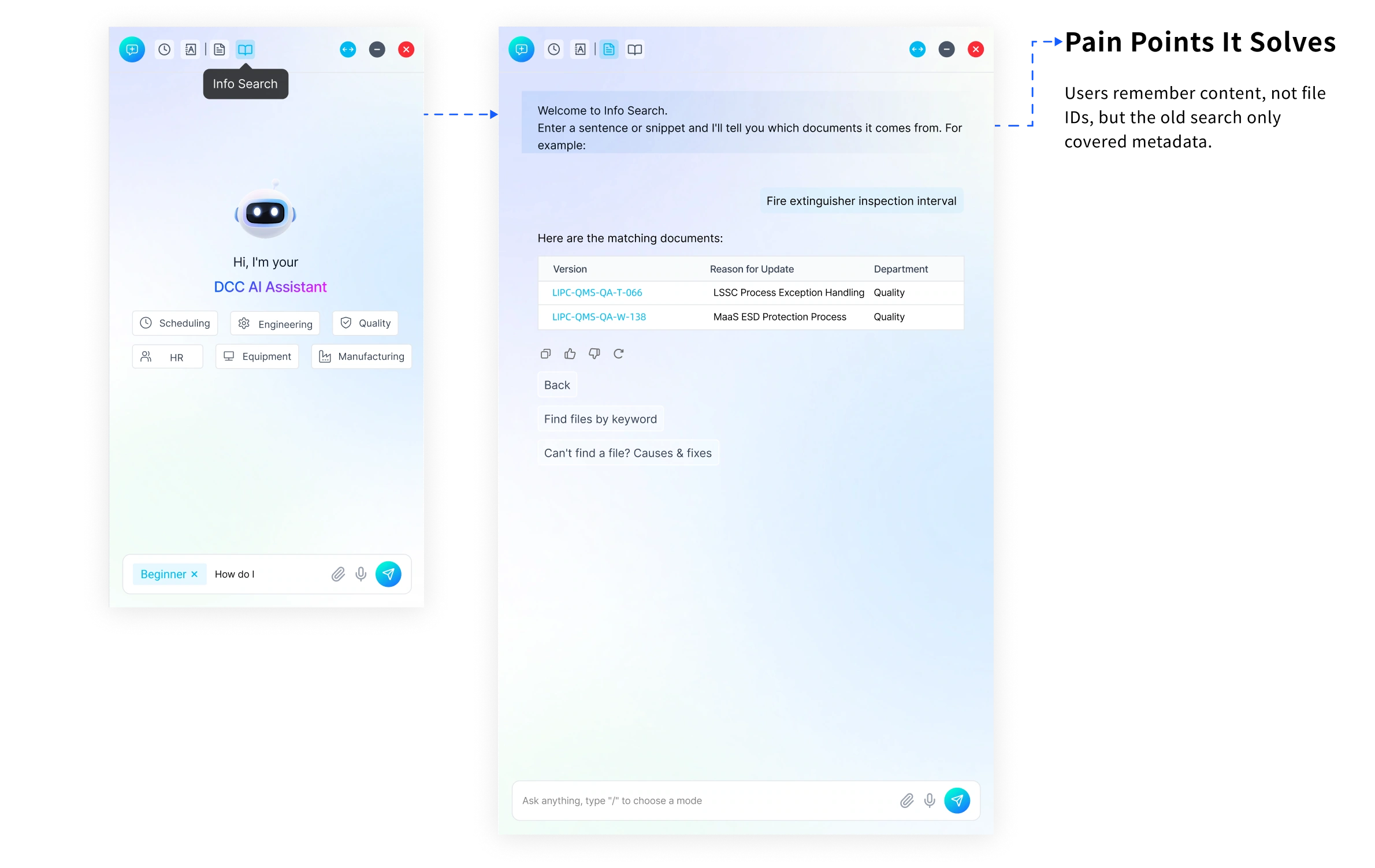
Information Search
Content search plus knowledge Q&A across scattered files.
Emotional Design
Default State
The assistant greets users with a gentle expression, creating a friendly and trustworthy first impression.

Hello, I'm
Document Assistant
New Chat State
When a new conversation is created, the assistant shifts to a smiling expression to strengthen emotional connection

Hi, how can I help?
Disconnected / Error State
Displays a squinting or slightly embarrassed expression to soften frustration and reduce user anxiety.

Oops,
something went wrong!
*Character visuals generated with ChatGPT and refined in Photoshop
06
Dark Mode
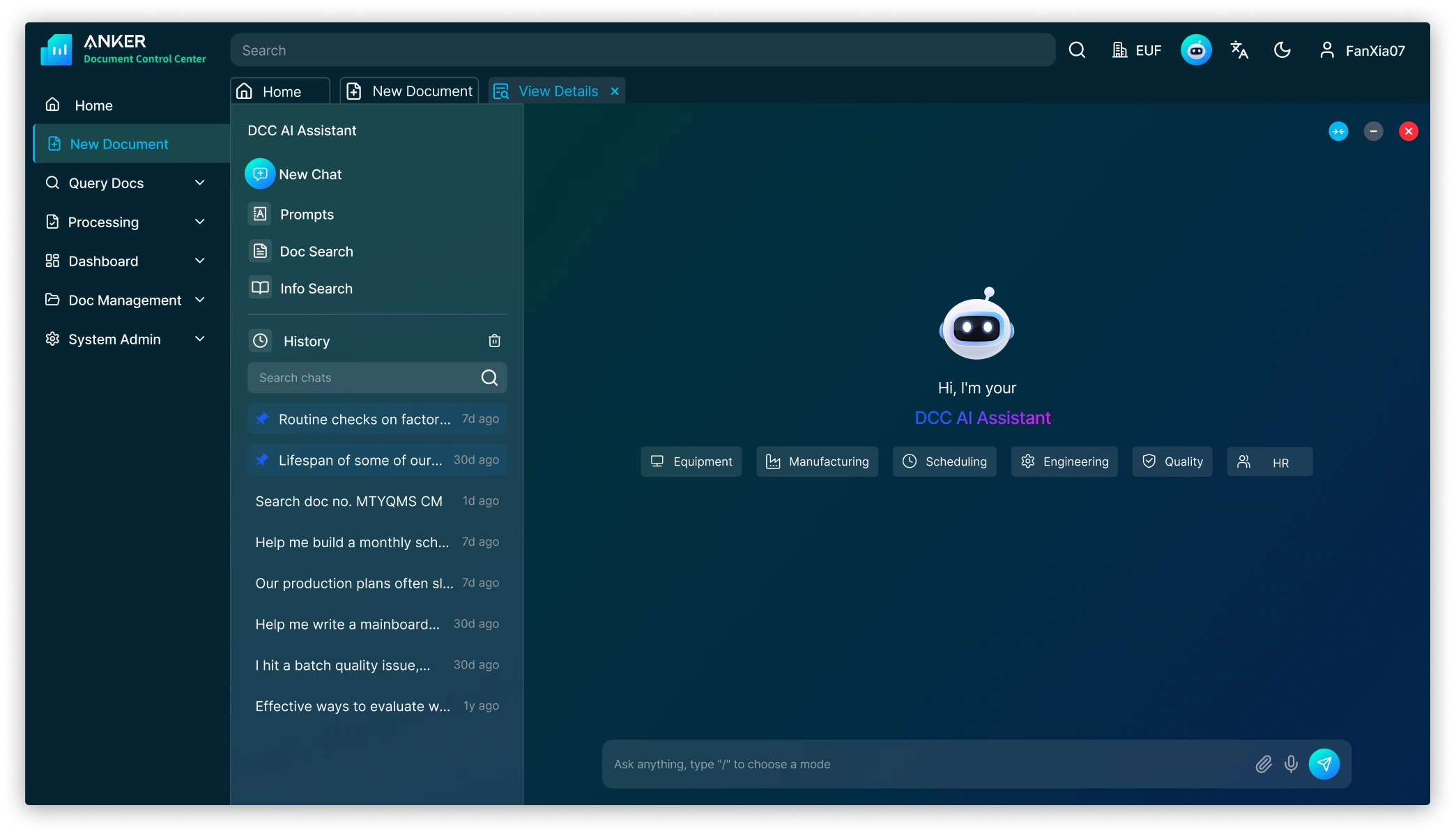
Background
00
Anker's document system are used by Product, R&D, Quality, Supply Chain and Operations teams.
Now, The system is positioned as a document repository. Document retrieval and approval workflows are fragmented. Guidance mechanisms are unclear.